Multiple Custom Domains with Front Door + AKS + Ingress
Intent
This walkthrough is designed to show using FrontDoor to proxy all traffic before it hits an AKS cluster using Ingress with multiple domains (one domain in each Namespace)
For Reference:
- https://docs.microsoft.com/en-us/azure/frontdoor/front-door-custom-domain
Setup Ingress
INGRESS_IP=$(kgsvc -n ingress-basic nginx-ingress-ingress-nginx-controller -o json | jq '.status.loadBalancer.ingress[0].ip' -r)

CUSTOM_DOMAIN=lastcoolnameleft.com
FRONT_DOOR_NAME=tmf-sandbox
# Create 1st namespace + ingress + deployment
NAME1=fd1
kubectl create namespace $NAME1
kubens $NAME1

helm upgrade --install --wait $NAME1 podinfo/podinfo \
    --set ui.message=$NAME1.$CUSTOM_DOMAIN \
    --set ingress.enabled=true \
    --set logLevel=debug \
    --set "ingress.hosts[0]=$NAME1.$CUSTOM_DOMAIN" \
    --set ingress.path='/'

# Now create 2nd namespace + ingress + deployment
NAME22=fd2
kubectl create namespace $NAME2
kubens $NAME2

helm upgrade --install --wait $NAME2 podinfo/podinfo \
    --set ui.message=$NAME2.$CUSTOM_DOMAIN \
    --set ingress.enabled=true \
    --set logLevel=debug \
    --set "ingress.hosts[0]=$NAME2.$CUSTOM_DOMAIN" \
    --set ingress.path='/'
Validate Backend Ingress Route is setup
curl -H "Host: $FRONT_DOOR_NAME.azurefd.net" http://$INGRESS_IP
curl -H "Host: $NAME1.$CUSTOM_DOMAIN" http://$INGRESS_IP
curl -H "Host: $NAME2.$CUSTOM_DOMAIN" http://$INGRESS_IP
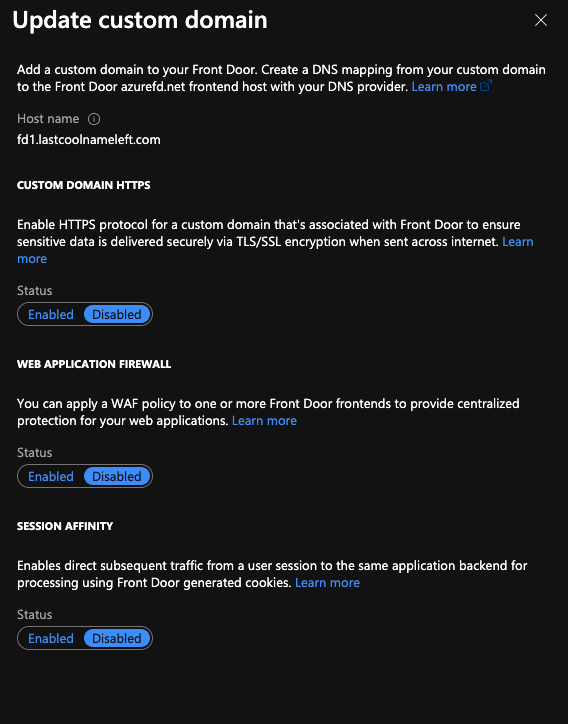
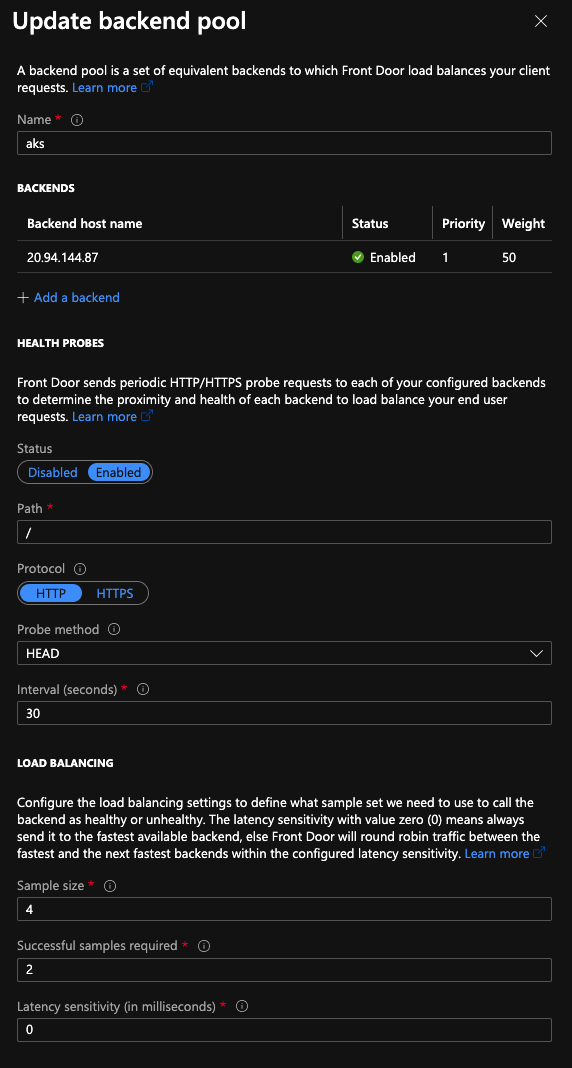
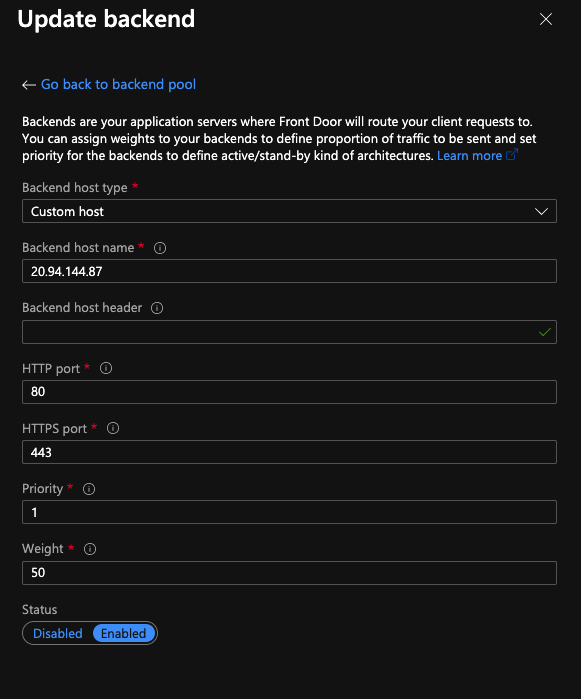
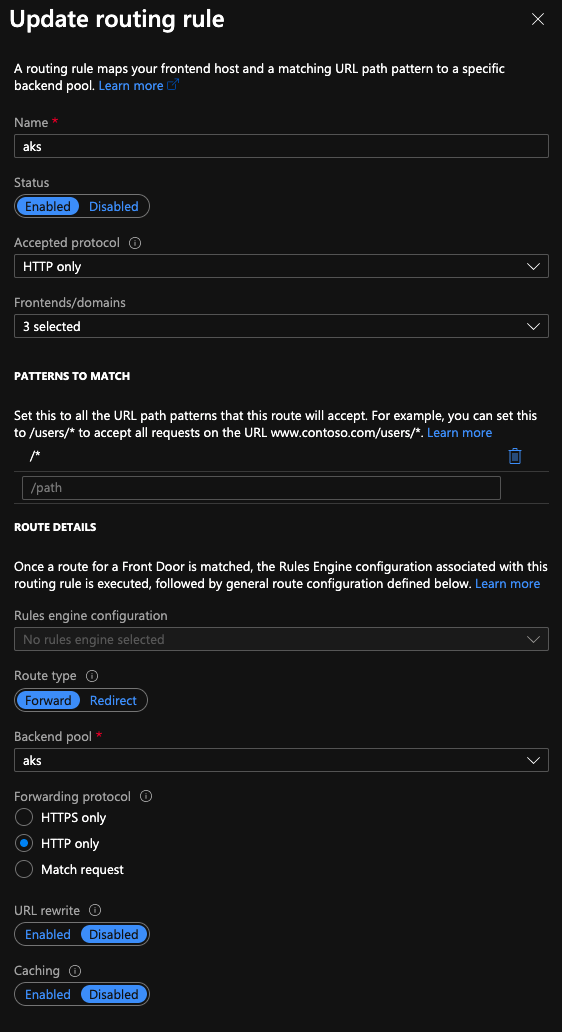
Setup Front Door
NOTE: I have noticed Front Door taking ~10 minutes to propagate the changes, even after saving the configuration is complete.

Cleanup
kubectl delete namespace fd1
kubectl delete namespace fd2